Solution

Customer portals and self-service booking

Self-service that genuinely reduces inbound contact, designed around the moments that decide whether someone completes the task or picks up the phone.

HealthcareEducationProfessional services
6
Core capabilities
3
Practices involved
Architecture
Explained openly
Customer portals and self-service booking

The business challenge

Most organisations that add a portal expect call volume to fall and are disappointed. The usual reason is that the digital route handles the easy case — making a new booking — and pushes everything else back to the telephone.

The tasks that actually generate contact are changing something, cancelling something, chasing something, or handling a case that does not fit the standard path. If those are buried or missing, the portal adds cost without removing any.

A second common failure is accessibility. Service portals often serve an older or less digitally confident audience, and a portal that is difficult to use with assistive technology excludes exactly the people most likely to call instead.

Our solution

We start by finding out why people contact you, using the support queue and conversations with the staff who answer. That list, ranked by volume, becomes the design brief rather than an assumed feature set.

Rescheduling and cancellation are then treated as primary flows rather than secondary actions, and released capacity is offered back automatically to people who asked for something sooner.

An integration layer insulates the portal from the systems of record behind it, so the customer-facing experience can move at a sensible pace even when the underlying administration system is slow to change or due for replacement.

Capabilities

Key features and capabilities

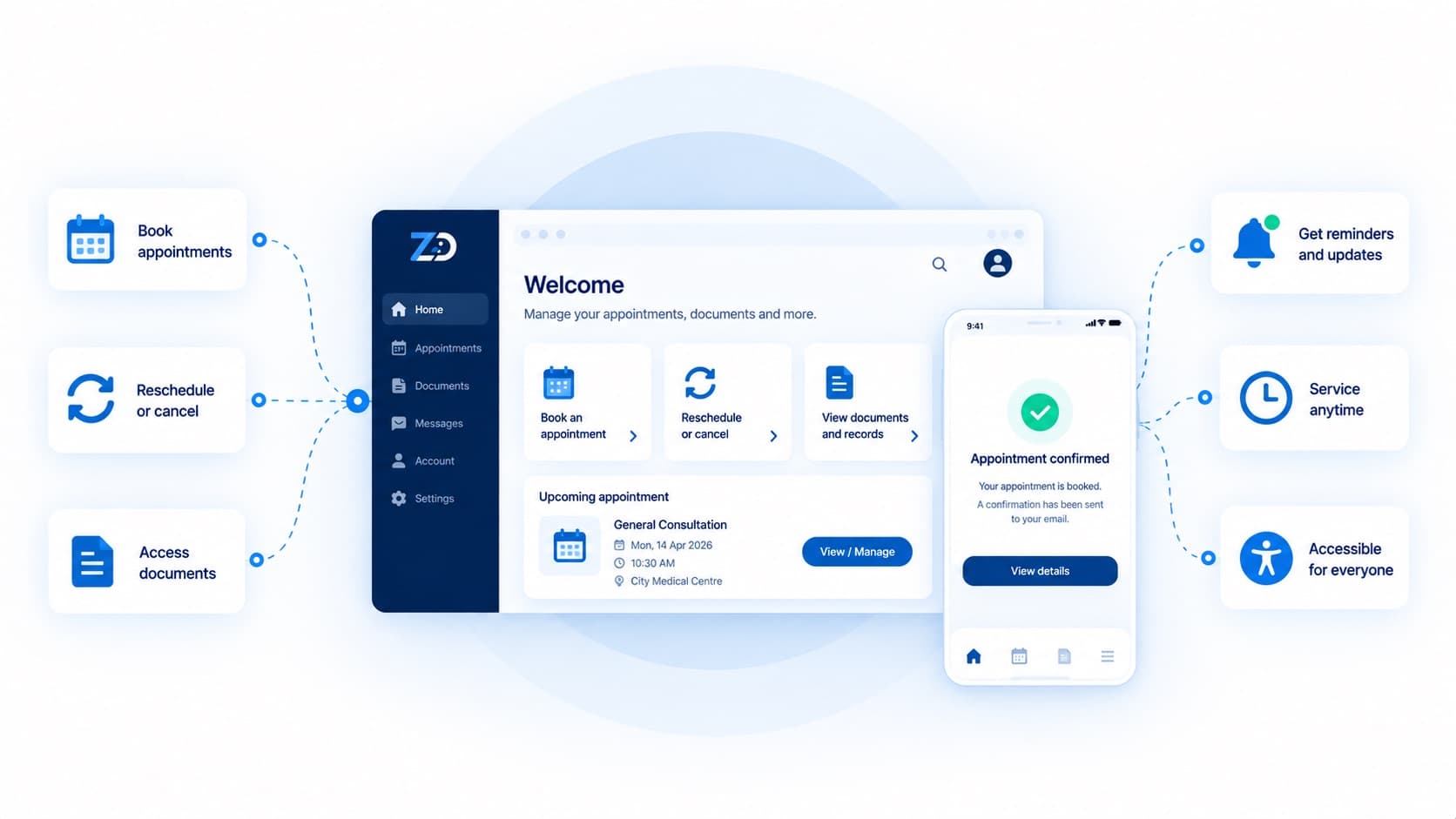
Self-service booking and rescheduling

Complete, change or cancel in a few steps, with released capacity offered onward automatically.

Account and document access

Statements, correspondence and records available without contacting the office.

Accessible by default

Built and tested to WCAG 2.2 AA with keyboard and screen-reader validation, not an automated badge.

Notifications that reduce contact

Reminders and status updates that pre-empt the most common enquiries.

Integration layer

A stable API over existing systems, so the portal is not coupled to a system due for replacement.

Optional mobile applications

Native or cross-platform apps where usage patterns justify them, over the same API.

  • Measurable reduction in routine enquiries reaching staff.
  • Capacity recovered automatically when appointments are released.
  • Service available outside office hours without additional staffing.
  • A consistent record of interactions, reducing disputes.
  • An accessible service that does not exclude part of the audience.

Outcomes

Benefits

What this changes for the organisation once it is running. These are the outcomes the design targets, agreed with you as measures before build starts.

Technology

Relevant technologies

Indicative rather than fixed. The specific choices follow your existing estate, your team's skills and the constraints we find during discovery, and are recorded as architecture decisions before build.

AreaTypical choices
Front endNext.js or Nuxt, server-rendered for speed and crawlability
MobileSwift, Kotlin, React Native or Flutter where warranted
IntegrationREST or GraphQL with token authentication and role-based access
ContentDrupal or a headless CMS where public content shares the platform

Start a conversation

Tell us what is not working. We will tell you what we would do about it.

An hour with our team, no charge and no obligation. You will leave with a point of view on the problem whether or not you work with us.

Monday to Saturday, 10:00 – 19:00 IST