
Retrieval-augmented generation: architecture that holds up in production
A working retrieval pipeline is straightforward. Making it reliable enough to trust with business questions is where the engineering is.
ZooBieDoo Infotech Engineering TeamRead
Prompts in production are code: versioned, tested and monitored. Treating them as configuration edited in place causes silent regressions.
A prompt edited directly in a production console with no history is an untracked change to system behaviour. Store prompts in version control, review changes, and deploy them through the same pipeline as everything else.
Record which prompt version produced which output. Without that, debugging a bad answer from last week is guesswork.
Clear structure — explicit role, task, constraints, output format, examples — outperforms elaborate phrasing. Models follow well-specified instructions more reliably than they respond to emphasis.
Never trust output shape. Parse and validate against a schema, and define behaviour for failure: retry once with the error, then fall back or escalate.
Where the platform supports constrained or structured output, use it — it removes a whole class of parsing failure.
When user content or retrieved documents enter the prompt, they can carry instructions. Keep a clear boundary between instructions and data, do not grant the model authority to take consequential actions on its own, and validate anything it produces that will be executed or displayed.
The reliable control is limiting what the system can do, not asking the model politely to ignore instructions in the data.
Prompt design has direct cost and latency consequences that are easy to overlook while iterating on quality.
Measure tokens per request alongside quality in the evaluation run, so the trade-off is visible while the prompt is being tuned rather than afterwards.
Against the evaluation set, in the pipeline, like any other change. Manual spot-checking finds obvious breakage and misses regressions.
Editable by non-engineers is convenient and risky. If you allow it, version and evaluate the changes the same way.
Only up to a point. Excessive context increases cost and latency and can dilute attention. Concise, well-structured instructions usually outperform long ones.
Keep reading
A working retrieval pipeline is straightforward. Making it reliable enough to trust with business questions is where the engineering is.
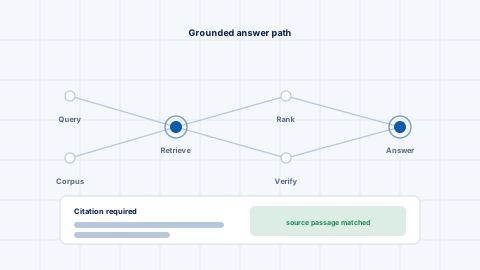
Connecting a language model to your documents is the straightforward part. The reliability work is everything after that, and it looks nothing like the demonstration.
Without an evaluation set, every change to a language model system is argued on anecdote. Building one is the highest-value early task.